
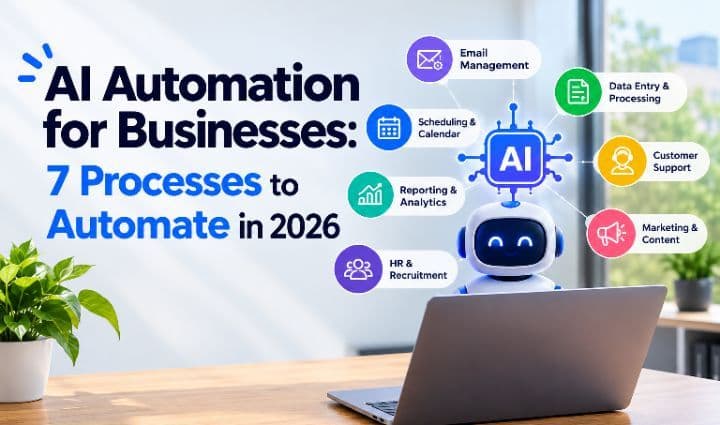
AI Automation for Businesses: 7 Processes You Can Automate to Save Time and Reduce Costs in 2026
October 2, 2026 · by Kabirat O.
AI automation for businesses is no longer just a futuristic concept. Companies are using artificial intelligence and automated workflows to reduce repetitive work, improve customer experiences, process data faster, and give employees more time for higher value tasks.
According to McKinsey's 2025 State of AI research, 71% of respondents said their organizations regularly use generative AI in at least one business function. https://www.mckinsey.com/capabilities/quantumblack/our-insights/the-state-of-ai-how-organizations-are-rewiring-to-capture-value
But successful automation isn't about automating everything. It's about identifying the processes that consume the most time, create unnecessary errors, or slow down business growth.
What Is AI Automation for Businesses?
AI automation for businesses combines artificial intelligence, software integrations, and automated workflows to perform repetitive or data-intensive tasks with minimal human intervention.
Traditional automation follows predefined rules, while AI can help systems understand language, classify information, generate responses, and identify patterns.
For example:
Customer inquiry→AI analyzes the request→ Identifies the issue →Provides an answer →Escalates complex cases to a human.
Businesses can use platforms such as Microsoft Power Automate to create automated workflows across applications and services. https://www.microsoft.com/en/power-platform/products/power-automate
7 business processes worth automating in 2026.
Customer Support
Customer support teams often spend significant time answering repetitive questions about products, pricing, orders, accounts, and basic troubleshooting. AI automation can handle many routine inquiries while transferring complicated issues to human agents. A typical workflow looks like this:
Customer message →AI understands the request →Information retrieved →Response provided →Complex issue escalated
This allows support teams to spend more time solving problems that genuinely require human attention. Digisperts has implemented AI-powered customer support automation for a SaaS company, including a chatbot trained on company-specific information and human handoff for complex requests. https://www.digisperts.com/resources/explore-our-work/saas-and-technology
Lead Qualification and Follow Up
A new lead still needs to be evaluated, categorized, entered into a CRM, and followed up. AI automation can streamline the entire process:
Website form lead captured →Information analyzed →Lead qualified →CRM updated →Salesperson notified
AI can help identify factors such as industry, company size, service requirements, and buying intent. CRM platforms such as HubSpot already provide tools for automated lead qualification and customer engagement. https://knowledge.hubspot.com/customer-agent/set-up-customer-agent-actions-to-qualify-leads
The result is less time spent sorting leads and more time spent speaking with qualified prospects.
Data Entry and Information Management
Manual data entry becomes increasingly inefficient as a business grows. Employees may spend hours transferring information between forms, spreadsheets, CRMs, accounting platforms, and other systems. Automation can replace this:
Form →Automated workflow – CRM →Notification
The system can extract information, update records, and trigger the next step without requiring an employee to manually copy every detail. IBM provides an overview of how business automation can help organizations automate repetitive processes and connect workflows. https://www.ibm.com/business-automation
Digisperts also provides workflow and data automation for businesses. https://www.digisperts.com/what-we-do/business-automation
Invoicing and Financial Workflows
Finance teams deal with many repetitive administrative processes, including invoice processing, reconciliation, reporting, payment reminders, and compliance checks. AI automation can handle predictable parts of these workflows. For example:
Invoice received →Information extracted →Data checked →Approval requested →Accounting system updated
Digisperts' financial-services automation case study demonstrates how automation can be applied to data extraction, reconciliation, reporting, and compliance monitoring. https://www.digisperts.com/resources/explore-our-work/financial-services
Automation doesn't remove the need for financial oversight. Instead, it allows finance professionals to spend less time on repetitive processing and more time on analysis and decision-making.
Employee Onboarding
Employee onboarding contains numerous repetitive administrative tasks. HR teams may need to collect documents, send forms, notify departments, create accounts, schedule meetings, and send reminders. An automated workflow can connect these steps:
New hire confirmed →Documents requested →Forms collected →Teams notified →Onboarding tasks assigned
AI can also help employees find information about company policies and procedures without requiring HR to answer the same questions repeatedly. The result is a more consistent onboarding process with less administrative work.
Marketing and Customer Follow-Up
Marketing teams can automate repetitive parts of lead nurturing and customer communication. For example:
Lead downloads content →Lead added to CRM →Audience segment identified →Follow-up sent → Engagement tracked →Next action triggered
AI can assist with:
- Lead scoring
- Audience segmentation
- Email personalization
- Customer follow-up
- Campaign analysis
- Content workflows
The goal isn't to automate marketing strategy. It's to automate repetitive execution so marketers can focus on strategy, creativity, and customer relationships.
Internal Knowledge Management
Employees shouldn't have to search through dozens of documents and folders to find basic company information. An AI-powered knowledge base can allow employees to ask questions in natural language.
For example:
"What's our refund policy?"
or
"How do I complete this process?"
The system can retrieve information from approved company documents and provide an answer. This can be particularly useful for businesses with extensive standard operating procedures and internal documentation. Digisperts includes AI-powered internal knowledge bases among its business automation capabilities. https://www.digisperts.com/what-we-do/business-automation
Which Business Processes Should You Automate First?
The best automation opportunities aren't necessarily the most complicated processes. They are usually the processes that create the most repetitive work or operational friction.
Look for tasks that are:
- Repetitive
- High-volume
- Time-consuming
- Error-prone
- Rules-based
- Digital
- Easy to measure
Ask yourself:
"If employees didn't have to perform this task manually anymore, what could they do with that extra time?"
If the answer involves serving customers, generating revenue, solving problems, improving products, or growing the business, the process could be a strong candidate for automation.
How Much Can AI Automation Save a Business?
There is no universal amount that every business can save through AI automation.
The potential savings depend on factors such as:
- How frequently the process occurs
- How many employees perform the task
- How long each task takes
- Employee labor costs
- How much of the workflow can be automated
- The cost of implementing and maintaining the automation
A simple way to estimate the current manual workload is:
Manual workload = Hours spent on a process × Number of employees
For example, if five employees spend two hours every workday completing the same task:
5 employees × 2 hours × 5 days = 50 employee hours per week
That's approximately 200 employee hours every four weeks.
If automation eliminates a significant portion of that workload, those hours can be redirected toward higher-value activities.
However, the ROI of automation isn't limited to labor savings. Businesses may also benefit from faster response times, fewer errors, improved consistency, better customer experiences, and increased operational capacity.
AI Automation Isn't About Replacing People
One of the biggest misconceptions about AI automation is that its primary purpose is to eliminate jobs.
A better question is:
"What repetitive work can AI handle so employees can focus on more valuable work?"
For example:
- A support agent can spend less time answering frequently asked questions.
- A salesperson can spend less time sorting and categorizing leads.
- A finance employee can spend less time entering information manually.
- An HR professional can spend less time chasing onboarding documents.
- An operations manager can spend less time following up on routine updates.
When implemented properly, automation can act as a productivity layer that helps employees work more efficiently.
How to Get Started With AI Automation
Businesses don't need to automate every process at once.
A practical approach is to:
Identify a repetitive process
Find a task employees perform frequently and manually.
Measure the current workload
Calculate how much time, money, and employee effort the process currently requires.
Map the workflow
Break the process into individual steps and identify where automation could be introduced.
Determine what should remain human
Not every decision should be automated. Keep tasks involving complex judgment, sensitive situations, or important business decisions under appropriate human oversight.
Choose the right tools
Select automation platforms, AI systems, CRM integrations, or other technologies that fit the specific workflow.
Measure the results
Track metrics such as time saved, processing speed, error rates, response times, and operational costs.
Scale what works
Once an automation delivers measurable results, consider applying the same approach to other suitable workflows.
Frequently Asked Questions(FAQs)
What is AI automation for businesses?
AI automation uses artificial intelligence, software integrations, and automated workflows to perform repetitive or data-intensive business tasks with minimal human intervention.
What business processes can be automated with AI?
Businesses can automate customer support, lead qualification, data entry, CRM updates, invoicing, financial workflows, employee onboarding, marketing follow-ups, and internal knowledge management.
How does AI automation improve business efficiency?
AI automation reduces repetitive manual work, speeds up processes, reduces errors, and allows employees to spend more time on higher-value activities such as problem-solving, customer service, and strategic decision-making.
Can AI automation replace employees?
AI automation can replace or reduce the need for certain repetitive tasks, but it does not necessarily replace entire employees or roles. Businesses can use AI to handle routine work while employees focus on tasks requiring judgment, creativity, communication, and expertise.
Which business processes should be automated first?
Businesses should generally start with processes that are repetitive, high-volume, time-consuming, rules-based, digital, or prone to human error.
How much can AI automation save a business?
The potential savings vary by business and workflow. Factors include the number of employees involved, time spent on the task, frequency of the process, labor costs, and the percentage of the workflow that can be automated.
Is AI automation suitable for small businesses?
Yes. Small businesses can use AI automation to streamline customer support, lead management, administrative tasks, CRM updates, data processing, and other repetitive workflows.
What is the difference between traditional automation and AI automation?
Traditional automation generally follows predefined rules. AI automation can interpret information, understand natural language, classify data, generate responses, and identify patterns before taking an action.
Can AI automation integrate with existing business software?
Yes. AI automation can connect different business applications and services, allowing information to move automatically between systems such as CRMs, forms, accounting platforms, databases, and communication tools.
Is AI automation secure for business data?
Security depends on the AI tools, software integrations, permissions, data-handling practices, and security controls used. Businesses should evaluate privacy and security requirements before automating sensitive information.
How can a business get started with AI automation?
Start by identifying one repetitive process, measuring its current cost and workload, mapping the workflow, determining which steps can safely be automated, implementing the appropriate technology, and measuring the results.
Can AI automate lead generation and follow-up?
AI automation can support lead capture, qualification, scoring, segmentation, CRM updates, personalized follow-ups, and notifications to sales teams.
Why should businesses automate repetitive tasks?
Automating repetitive tasks can reduce administrative workload, improve consistency, minimize errors, accelerate processes, and give employees more time to focus on work that contributes directly to business growth.
Final Thoughts
AI automation can help businesses reduce repetitive work, improve operational efficiency, and create more capacity for growth. But successful automation doesn't start with buying the newest AI tool. It starts with identifying a genuine business problem. Find the process consuming too much time. Measure its cost. Determine which parts can safely be automated. Implement the solution, measure the results, and scale what works. The goal isn't to automate everything. It's to automate what matters.
Build with digisperts
Ready to identify where automation could make the biggest difference in your business?
Digisperts provides business automation solutions covering areas such as AI-powered customer support, financial automation, workflow and data automation, CRM automation, and AI-powered internal knowledge management. https://www.digisperts.com/what-we-do/business-automation
Whether your business needs to reduce manual data entry, improve customer support, streamline financial workflows, or automate repetitive operations, the right automation strategy can turn time-consuming processes into efficient workflows. Build smarter. Automate what matters. Grow with Digisperts.